
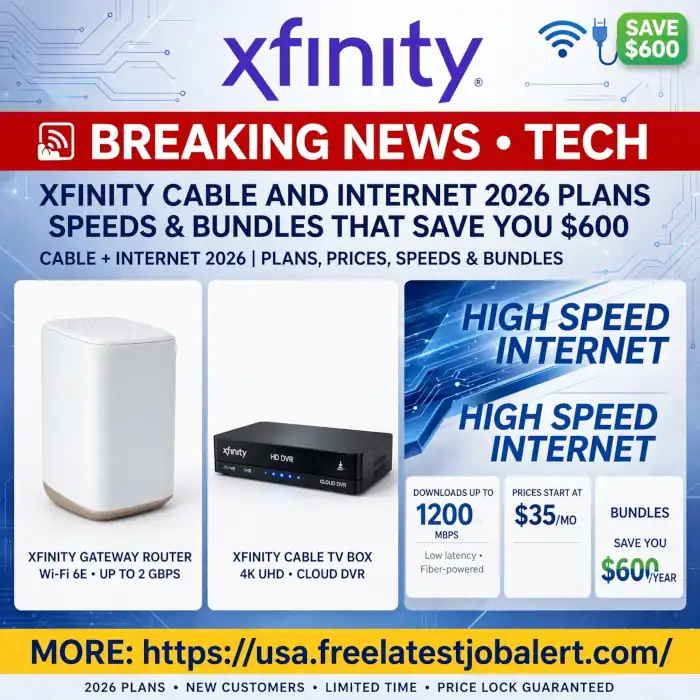
Xfinity Cable and Internet 2026: Plans, Prices, Speeds & Bundles That Save You $600
Xfinity Cable and Internet guide 2026: Compare Xfinity internet plans, cable packages, speeds, prices, bundles, X1, xFi Gateway, deals & hidden fees.
Let’s be honest. Shopping for internet and TV in America is confusing. You see an ad for $35 a month, you sign up, and three months later, your bill is $110. If that has happened to you with Comcast, you are not alone.
This is the real, organic guide to Xfinity Cable and Internet in 2026. No jargon, no paid promotion, just what you need to know before you buy, written like a newsroom tech team would explain it to family.
What Exactly Are You Buying?
Xfinity is just the name Comcast uses for its home services. When you buy Xfinity, you are buying from the biggest cable company in the country. They own the thick black cable that runs down most streets in 40 states, from Massachusetts to California.
For years, cable only gave you TV. Now that same cable, upgraded with fibre, gives you internet that is faster than ever before. In 2026, Comcast calls its network the 10G Network. It doesn’t mean 10 gigabits everywhere yet, but it means the network has been rebuilt to handle much faster uploads, lower lag for gaming, and more devices at once.
There are three core products:
- Internet – The WiFi that powers your home.
- TV – The traditional cable package, now run by a smart box called X1.
- Mobile and Home Extras – Phone service, home security, and streaming boxes.
Most people come for the first two. The trick is knowing how to bundle them.
The Internet – Choosing Your Real Speed
Xfinity sells speed by download numbers. Forget the technical terms. Think about what you do.
If you live alone or with one other person and you mostly browse, do video calls, and watch Netflix on one TV, you don’t need a gigabit. The 75-megabit plan, which Xfinity calls Connect, is enough. It will handle two video calls at once without freezing. This is usually $30 to $45 if you get it on promo.
For most families of three to four people, the sweet spot is 200 or 400 megabits. That’s where 90% of households should be. With 200 megabits, you can have two 4K TVs streaming, three phones scrolling TikTok, and a laptop on a Zoom meeting and nothing stutters. With 400 megabits, you add headroom for a PlayStation download or a big work file upload at the same time. In 2026, this plan costs around $45 to $65, and it’s the one customer service pushes the least because it’s not the most expensive.
If you have a house full of gamers, 4K TVs, security cameras, and smart lights, then you want the 800-megabit or 1-gigabit plan. This is not about being faster for browsing — Google will not load faster. It’s about capacity. Imagine a highway. 75 megabits is a two-lane road. A gigabit is a ten-lane highway. When everyone leaves for work at once, the wider road doesn’t get jammed.
Now, in select neighbourhoods, Xfinity is offering TruFibre. You will know if you have it because they will offer you 2 gigabits or even 10 gigabits. This is brand new in 2026. The biggest difference is upload speed. The old cable gave you 1000 down but only 20 up. That made sending videos or backing up to iCloud slow. The new fibre areas give you 1000 up. If you are a creator, YouTuber, or work with large files, ask specifically: “Is my address fibre?” If yes, take it.
The Equipment Reality:
Xfinity will rent you a tall white tower called the xFi Gateway. It is actually good — it’s WiFi 6E, which is the latest standard and covers a 2500 sq ft house well. Rental is $15 a month. You can buy your own modem and router and save that money, but if you do, you lose some features like unlimited data discount and the free security app. For most non-technical people, just rent it for the first year.
The Data Cap No One Mentions:
In most states, Xfinity caps you at 1.2 terabytes a month. What is that? Netflix in 4K uses about 7GB per hour. So you can watch 171 hours of 4K before you hit the cap — about 5-6 hours a day. Most families use 600GB. You will be fine unless you download 100GB of games daily. If you do, pay the extra $30 for unlimited or get xFi Complete for $25, which includes unlimited and the gateway.
And yes, Xfinity has 20 million hotspots around the US. If you are an Xfinity internet customer, your phone automatically connects to “xfinitywifi” at malls, airports, and cafes for free. It actually saves a lot of mobile data.
The Cable TV – Is X1 Still Worth It in 2026?
Everyone says cable is dead. Yet Xfinity added 100,000 TV customers last year. Why? Because of X1.
X1 is not your old cable box from 2010. It’s a smart platform. The remote has a microphone. You press it and say,y “Show me free movies this weekend” or “Open Peacock,k” and it does. It has Netflix, Disney+, Hulu, Max, and Peacock built in. You don’t switch inputs. One search shows you where a show is playing — cable or streaming.
Channel packages are simpler than they seem:
Choice TV is bare bones — just your local channels like ABC, CBS, NBC, FOX, PBS. It’s $20 and exists so Xfinity can say they have a $20 TV plan. Most people skip it.
Popular TV is the real starter — about 125 channels. This is ESPN, CNN, Fox News, HGTV, Hallmark, Food Network, Disney, Nickelodeon. If you want cable for sports, news and family shows, this is it.
Ultimate TV adds about 60 more — NFL Network, NHL Network, extra movie channels like Starz Encore, and more kids’ channels. It’s for sports families.
There is also a hidden gem: Flex. If you buy internet only, Xfinity gives you a free small black streaming box called Flex. It has no cable channels, but it gives you Peacock Premium free forever, which is $8 a month normally. It turns any old TV into a smart TV. Always ask for it.
DVR has also changed. The old box recorded to a hard drive. Now it’s cloud. You get 150 hours, you can record six shows at once, and you can watch those recordings on your phone through the Stream app when you are not home. If you still love recording local news or Hallmark movies, it works.
The Bundles – Where You Actually Save $600
This is the most important part. Never buy Xfinity internet alone at full price.
Think of Xfinity like a phone company. They lose money on the first product to sell you three. The deals work like this:
If you buy internet + cable together, they knock $30 off each. A 200-megabit internet alone might be $75 after the promo ends. With Choice TV added, the total might be $55 for two years. You are literally paid to watch TV.
The biggest saver in 2026 is internet + mobile. Xfinity Mobile runs on Verizon towers,s but is much cheaper if you have Xfinity internet. A single unlimited line is $40 when bundled, versus $60-$70 elsewhere. A family with two lines saves $40 a month, which is $480 a year. Add the $15 gateway discount they give mobile customers, and you are at $600 saved.
Triple play — internet + TV + home phone — sounds old, but Xfinity Voice is now free for many bundles and includes a $400 gift card for new customers. If you work from home and want a separate home line, it’s worth it.
How to receive the real deal:
Don’t order from the website’s first price. Go to chat, start an order, then abandon it. You will get an email with a better price. Or call and say you are thinking of cancelling. The loyalty department, called retention, has codes that can give you 40% off for 12 months. It’s annoying, but it works. Every American who has had Comcast knows this dance.
Also, if anyone in your household gets Medicaid, SNAP, SSI, or free school lunch, you qualify for Internet Essentials — $9.95 a month for 75 megabits. It’s the same network, no data cap, no credit check.
Installation and Final Setup guide for beginners
You have two choices: self-install or pro install. Self-install is a small box shipped to you. You plug the gateway into the coax outlet that is already in your wall, wait 10 minutes, and activate via the Xfinity app. It works 80% of the time. If your house never had cable before, you need a pro install — a tech runs a line from the street.
Once it’s on, download two apps: My Xfinity and xFi. My Xfinity is for bills. xFi is for control. In xFi, you can see every device connected, pause your kid’s iPad at dinner, set a bedtime schedule, and see if your neighbour is stealing WiFi. You can also restart the gateway remotely, which fixes 90% of slow WiFi complaints.
Place the gateway in the centre of your house, not in a closet or behind a TV. WiFi is light — it doesn’t go through thick walls well. If you have a dead spot upstairs, ask Xfinity for an xFi Pod extender. It’s $5 a month or free with xFi Complete.
So, should you own it?
If you want one bill, one company to call, fast speeds up to a gigabit, a smart TV box that merges Netflix and live sports, and free Peacock, plus 20 million WiFi hotspots for your phone, Xfinity Cable and Internet in 2026 is still the most complete package in its footprint.
If you have AT&T Fibre or Verizon Fios fibre to your actual house, that fibre will give you faster uploads and no data cap for the same price — that is technically better for gamers and creators.
For everyone else, get the 400-megabit Fast plan, ask for a free Flex box, buy your own modem after year one if you want, and bundle with Mobile. That setup will cost you around $55-$70 a month after fees, stream 4K on three TVs at once, and you won’t need to think about it again for two years.
For daily updated prices, promo codes, and to check if your street has the new 2-gig fibre, our tech desk updates this page every morning: https://usa.freelatestjobalert.com/